
How to Search Cases by Name
For searching by name, Alabama's official on-demand route is AlacourtACCESS Just One Look. Its public landing page lists a $9.99 name search. One case detail is included. Want more detail on another case? That costs another $9.99 each time. The service covers Criminal, Civil, Small Claims, State Traffic, Domestic Relations, and Child Support records. It does not promise that every municipal or probate record appears there.
- Choose the advertised Name Search mode in Just One Look.
- Create an account if prompted and accept the service terms.
- Run the paid search with the name information available to you.
- Compare the returned court and case type before buying an additional detail.
- Read the Case Action Summary, Court Actions and Rulings, and Court Setting Dates together.
The paid query fields stay behind the paywall, so treat nothing as guaranteed. Exact-name rules, wildcards, and county dropdowns may or may not exist there. The same is true of date filters, result columns, and export tools. A common name can return a flood of choices. Stop before buying more detail. Get the case number or the right division from the clerk. Then search again with confidence.
Autauga County Case Lookup Registration
Before you can buy anything, you need an account. The Just One Look registration page shows the fields that stand in front of a paid Autauga County case lookup. That official page documents the sign-up gate without opening any private party's record.
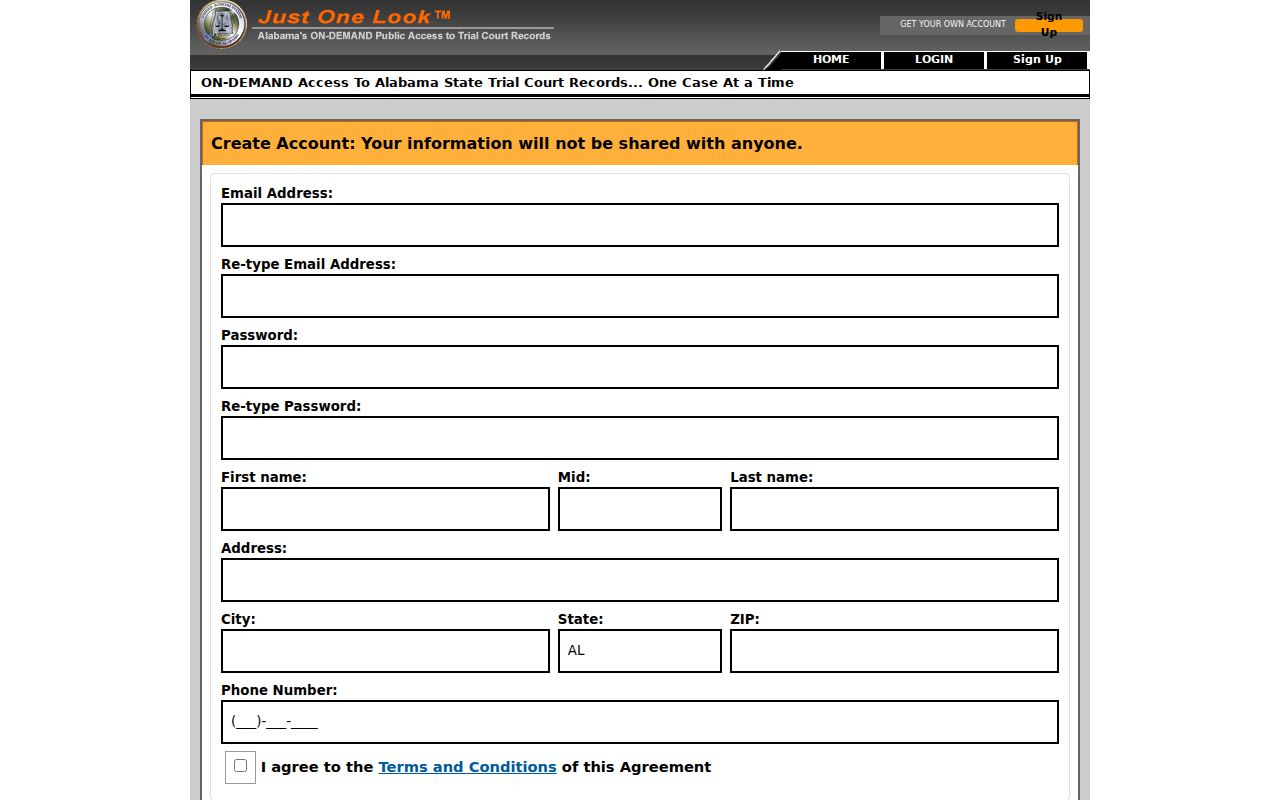
Registration collects contact and account information. It stops there. Do not read it as proof that any specific search filter exists on the paid side.
| Field label | Type | Requirement or note |
|---|---|---|
| Email Address and re-entry | Email text | Validation checks the address and match |
| Password and re-entry | Password | Entries must match |
| First, middle, and last name | Text | Public page does not state all requirements |
| Address, city, state, ZIP | Address inputs | ZIP validation is shown |
| Phone Number | Phone inputs | Format details were not stated |
| Terms and Conditions | Checkbox | Agreement is effectively required |
How to Search by Case Number
A case number is the tighter key for an Autauga County case lookup. Just One Look charges the same $9.99 for a case-number search with one detail. Copy the number exactly. Use it as it appears on a notice or filed document. Local prefixes include CC, DC, TR, DR, CS, CV, DV, SM, and JU. Official forms follow a TYPE / YEAR / NUMBER / SUFFIX layout. Never guess missing digits or punctuation. If the portal rejects what you typed, stop. Hand the full identifier to the clerk division tied to its prefix. One more wrinkle matters. A DC preliminary record and a later CC felony record can carry different identifiers even when both grow out of the same underlying matter.
Autauga County Case Search Paywall
The public page shows only the two paid modes. The inner Autauga County case search form stays hidden. So take no promise of partial-name matching, date ranges, party-role filters, a county list, or pagination on faith. That gap comes from the access design itself. It does not prove those tools are missing inside a paid account.
Plan the search first: Confirm the court level and seek the case number before paying when a name may return several records.
A purchased case detail is one thing. Document images are another. Images cost $5 for the first 20 pages, then $0.50 for each page after that. A portal image is just an ordinary copy until the custodian clerk certifies it.
What a Case Search Shows
Just One Look advertises six report blocks for an Autauga County case lookup. Party Information and Details names the people or entities tied to the file. The Case Action Summary lists dated entries in order. Read Court Actions and Rulings apart from filer-created titles. Court Setting Dates tracks scheduled events. Financial Information and Costs covers assessed or paid amounts, and Document Images and Attachments pulls available filed material for an added charge.
| Case identity | Number, case style, parties, and court division used to distinguish the record. |
|---|---|
| Case Action Summary | The dated index of filings, settings, actions, and rulings. |
| Court actions | Orders and rulings that show what the court did, when publicly available. |
| Setting dates | Calendar entries that must be checked against the newest notice or order. |
| Financial details | Costs and payment data that should be confirmed with the clerk before payment. |
| Images | Available filed documents or attachments sold separately from basic detail. |
One caution on wording. A line called Motion only means someone filed one. The filer picks a broad title and description in AlaFile, and those words flow into the index. A motion entry is a request, not a ruling. Read the actual order before drawing conclusions.
Autauga County Case Lookup Subscriptions
Heavy users have a second option: Alacourt.com, the subscription counterpart to Just One Look. The official page shows the subscriber entry used for the Autauga County case lookup work described here.
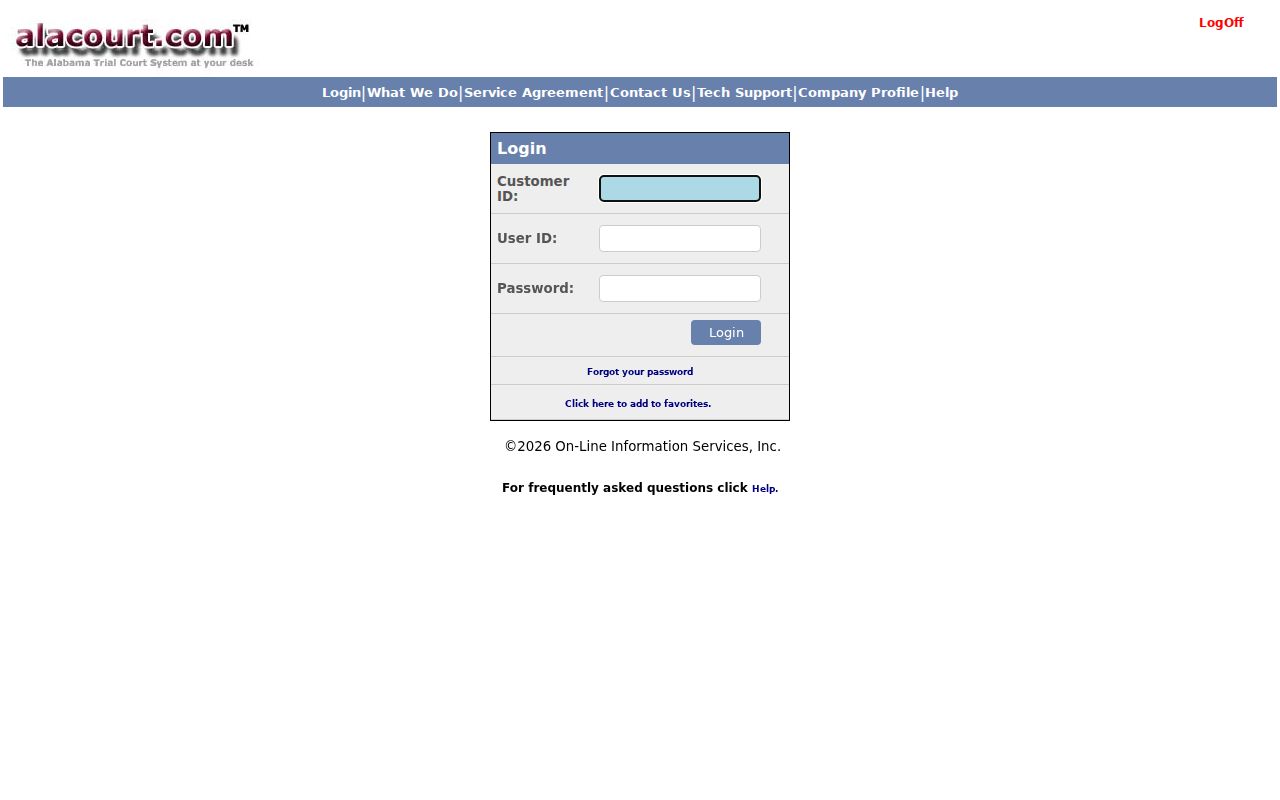
For people who need trial-court records over and over, a subscription can make sense. Just One Look instead sells one search at a time, with details priced per look. Neither one changes what AlaFile is. That system handles registered filing and service. Clerks and judges run AlacourtPlus for processing.
County vs Statewide Case Search
Autauga County offers no free county-level portal for trial cases. So the real choice comes down to two options. Statewide remote access is one option, and visiting the local office is the other. Just One Look and Alacourt.com both reach participating Alabama trial records from anywhere. The Autauga County Circuit Clerk can help directly. The office handles Circuit and District files. During regular hours, anyone may view nonconfidential electronic dockets at the courthouse. There is no charge.
| Statewide remote service | Autauga County clerk route |
|---|---|
| Just One Look on demand or Alacourt.com subscription | Correct Circuit Clerk division by phone or at the courthouse |
| Paid remote case detail and optional images | No-charge viewing of nonconfidential electronic records during regular hours |
| Covers listed trial-record categories | Routes local Circuit and District records by case prefix |
| Ordinary images are not certified copies | Custodian clerk supplies formal certification |
You will find the clerk's office at 134 North Court Street in Prattville. Hours are split: 7:30 a.m. to noon, then 1:00 to 4:30 p.m. Call ahead before mailing any request. Autauga County posts no general copy-request form. It posts no certification fee, no turnaround time, and no accepted remote-payment method.
Autauga County Case Lookup Desks
The case prefix tells you which clerk desk to call. Circuit Criminal takes (334) 358-6807. District Criminal and Traffic use (334) 358-6802. Circuit and District Civil is (334) 358-6806. Small Claims and Eviction answers at (334) 358-6805, and Domestic Relations plus Child Support at (334) 358-6809. Juvenile is (334) 358-6803. The law restricts access to juvenile material.
The official clerk division page lists these routes in one place. Calling the right desk helps you tell a truly missing case from one filed in the wrong division. A clerk cannot hand out everything, though. Statutes, court rules, and judges' orders keep some material confidential.
Autauga County Case Search Boundaries
Not every Autauga County case lives in one place. Each municipal court keeps its own cases. That covers city ordinance and city traffic matters. The Autauga County Probate Office keeps estates, wills, guardianships, conservatorships, adoptions, name changes, and other statutory probate matters. State Traffic in a trial portal proves little. It is no promise that every city citation is there too.
The Probate Office sits at 176 West Fifth Street in Prattville, reachable at (334) 361-3728 for estate, will, and adoption matters. Adoption records stay sealed as a rule. For a municipal matter, start with the city that issued it. Circuit cases can be confirmed through the local Circuit Court page, and District matters through the local District Court page or the Circuit Clerk. Matching the right office saves paid clicks. It also guards against a false missing-result conclusion in your docket search.
Restricted Cases and Access Rules
Alabama's Rules of Court-Record Privacy and Confidentiality open court records to the public. A law, court rule, or court order can still protect the information. Juvenile legal and social records stay confidential under state law. Adoption files are sealed. Youthful-offender records are restricted. A final expungement pulls covered records out of ordinary public view. A court can also seal a file or redact protected identifiers.
Any of these can change what an Autauga County case lookup returns. A blank result may reflect a valid access limit. A thin index or a missing image can mean the same thing. It may also come from a spelling error. A wrong case number, the wrong court, a municipal filing, or slow indexing can do it too. If you hold a legal entitlement to protected content, use the statutory or court-order process. A routine email will never override confidentiality.
Autauga County Case Lookup In Person
The Alabama Rules of Court-Record Privacy and Confidentiality took effect January 1, 2025. Under Rule 401, viewing is free for nonconfidential records. Electronic dockets and court records in District and Circuit actions can be viewed at the clerk's office during regular hours. Copy charges can still apply. Remote access may come only through a subscriber service.
That in-person route is the main free fallback for an Autauga County case search. It does not mean the clerk provides a free public computer terminal. So call the right division before you travel. Confirm the file is open for inspection. Plan around the midday closure.
Autauga County Case Lookup Failures
A blank Autauga County case lookup is not a verdict. It is a prompt to check the court. The matter may be municipal rather than state traffic. It may be probate rather than civil, or appellate rather than trial level. A felony can shift from a DC preliminary record into a CC case. A fresh citation may not have reached the system yet. Sealed, expunged, juvenile, adoption, and youthful-offender records stay outside ordinary public access.
- Verify the spelling and copy the full case number from the newest notice.
- Check the prefix and decide which court or custodian owns the record.
- Call the matching clerk desk and ask about a nonconfidential file.
- Use the municipal, probate, or appellate route if the trial portal is the wrong system.
A web result that turns up empty does not prove no public file exists. The Autauga County Court Record Search explains the difference between a docket index, a filed image, and a certified clerk copy.
Autauga County Case Lookup Sections
The Case Action Summary and Court Actions and Rulings do different jobs. The summary works as the date-by-date register. A filing title may come straight from whoever submitted it through AlaFile. The rulings block is different. It points more directly to what the court actually did. A title may stay unclear. Document Images and Attachments can supply the text that settles it.
- Case Action Summary
- The chronological index of filings, settings, actions, and rulings.
- Setting
- A scheduled court event that may later be continued or reset.
- Order
- The judge's written direction or ruling.
- Disposition
- The recorded outcome or status that resolves a charge or claim.
- Certified copy
- A clerk-authenticated reproduction, unlike an ordinary portal image.
Read across the whole report. A filing, a setting, an order, and a disposition can be linked in time. One short index label should never carry the meaning of the full document.